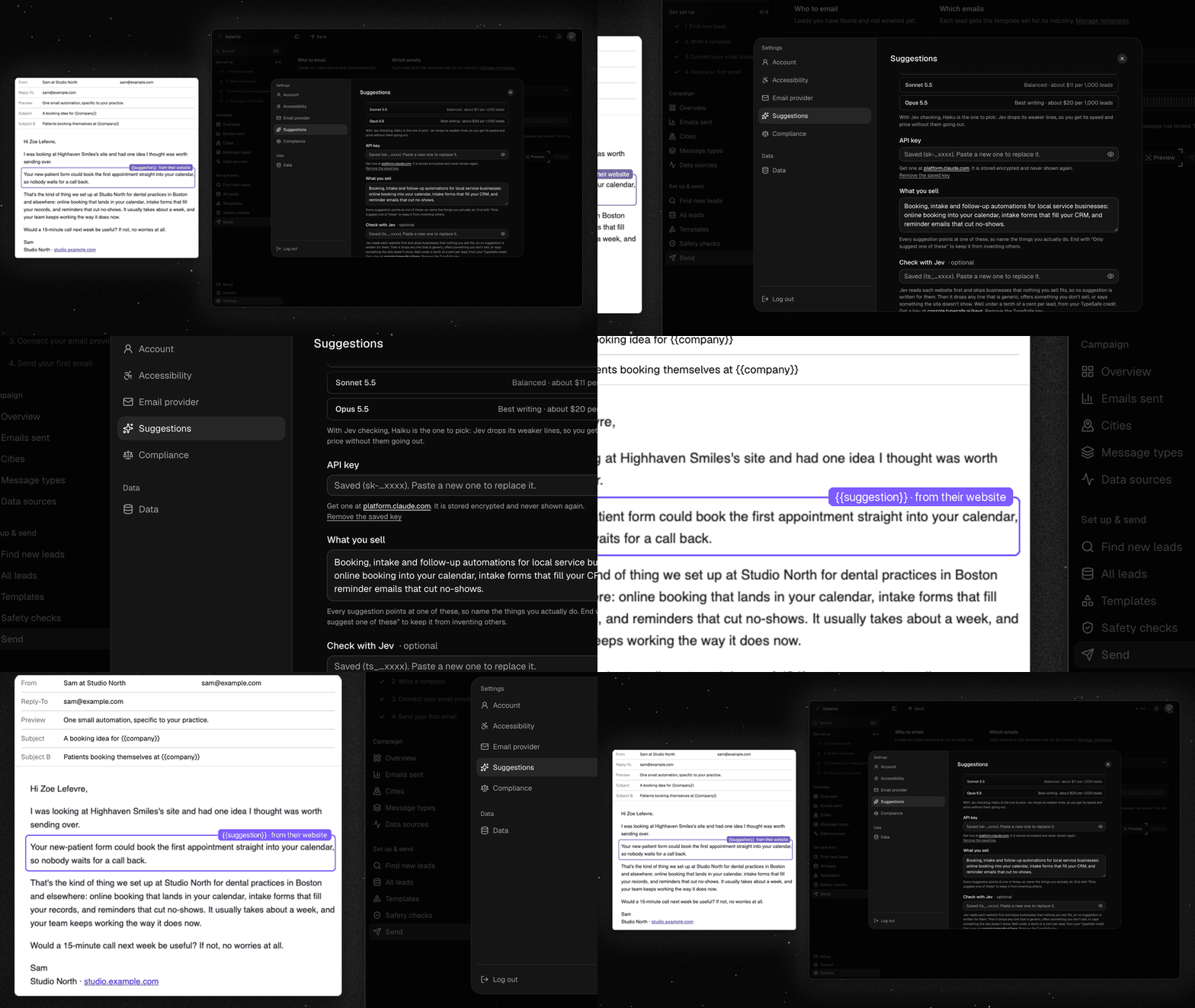
Put {{suggestion}} in a template, and each email gets a line or two written from that lead's own website, naming one thing you offer that fits that business.
NewTurn on Suggestions in Settings, add your own Gemini (free tier) or Claude key, and say what you sell. Suggestions are written after every lead search, or for your whole lead queue with one press.
NewOn Claude, choose Haiku 5.5, Sonnet 5.5 or Opus 5.5. An optional TypeSafe key checks each line and drops any that don't fit your offer or aren't based on the site.
NewAll leads shows each lead's suggestion and can filter to the leads that have one. View email shows one lead's email with every variable filled in, checked against what Send will deliver.
ImprovedA lead whose template needs a suggestion and has none is skipped. It never gets a blank line or a stand-in.
ImprovedA website with no suggestion says why, for example the site says too little or the line came out too long. Try again asks about those sites once more.
ImprovedA line that breaks a rule (a question, a link, too long) is rewritten once before the site is left empty. After you change the model, sites the old model left empty are asked again.
FixedA wrong API key is flagged when you save it. A run with a bad key now stops straight away and says so, instead of ending "Done" with nothing written.
AI assistants are here
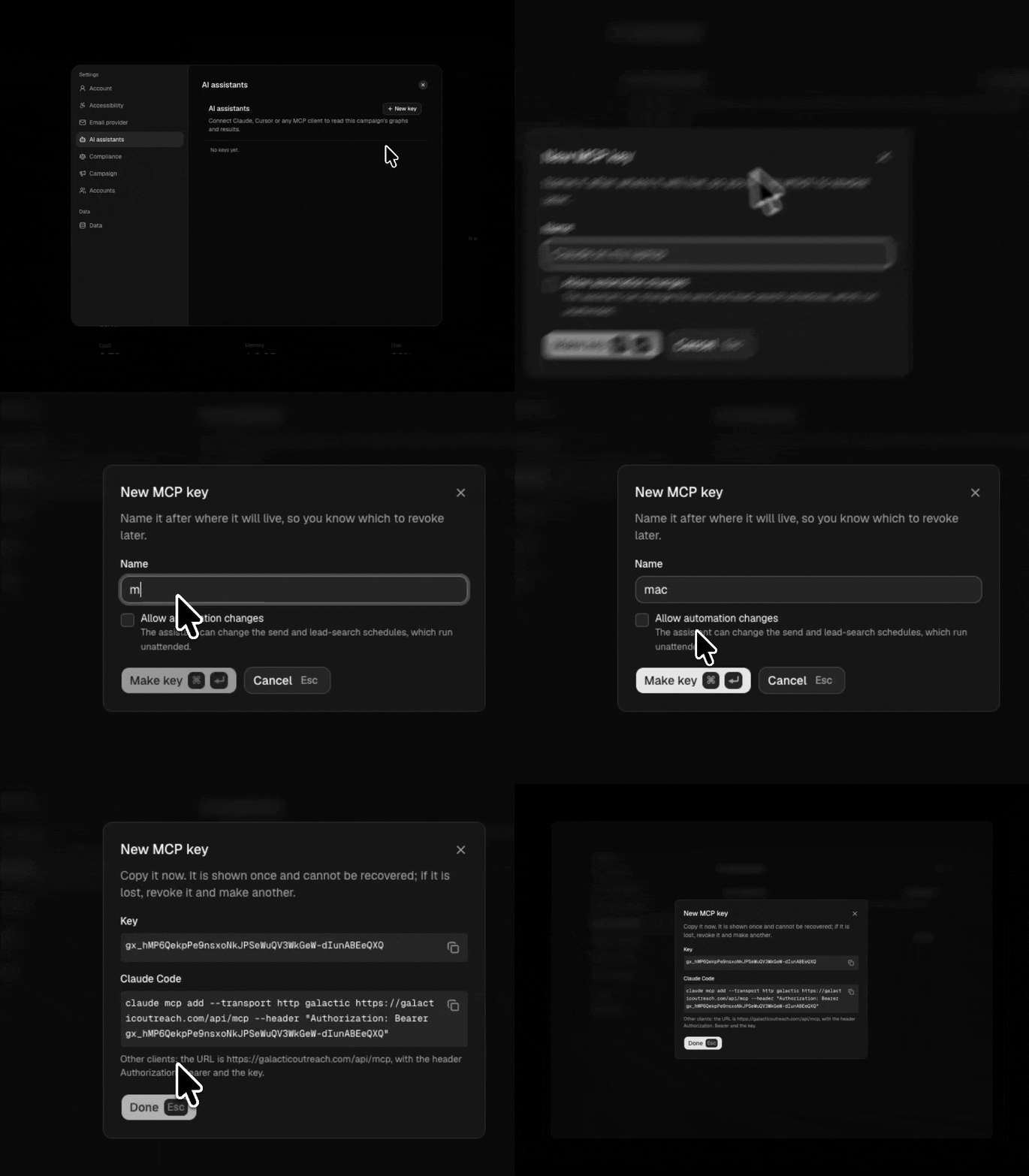
You can now connect Claude, Cursor or another MCP assistant to your campaign, right from Settings, under AI assistants.
NewAsk your assistant about your campaign: whether it can send, sends per day, results by city and industry, the safety checks and your bounce rate. It sees numbers only, never a lead or an email address.
NewGive a key automation access, and your assistant can pause, move or set up your send and lead-search schedules. Changes go through the same checks as the Automation screen and need a paid campaign.
Your own mailbox, and your provider's limits
Send from the mailbox you already have, and see how close each campaign is to the lines providers act on.
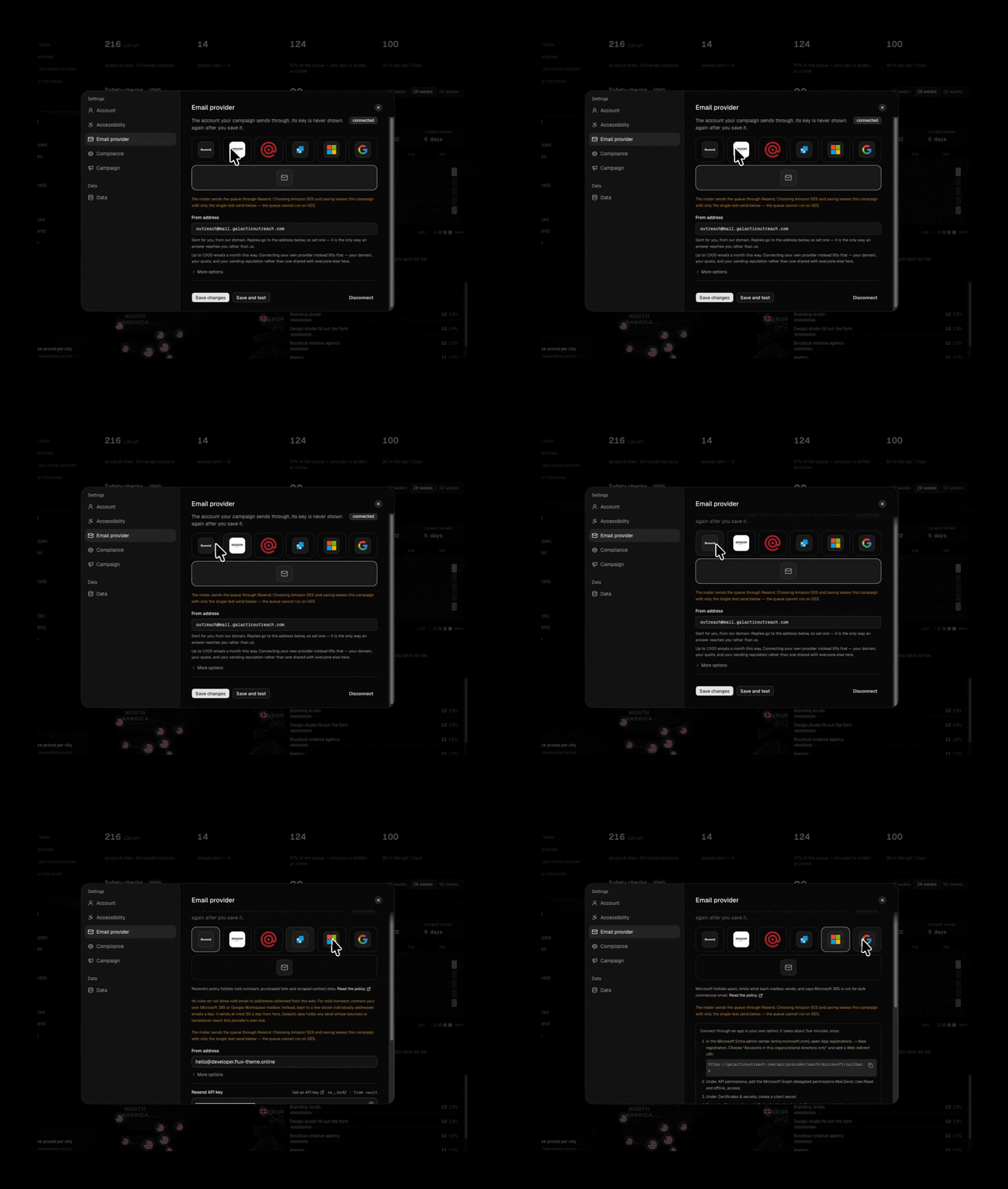
NewSend from your own Microsoft 365 or Google Workspace mailbox: create a small app in your own admin, paste its details in Settings, and connect. Up to 50 emails a day per mailbox.
NewA safety check that holds a send when bounces or spam complaints over the last 30 days reach your provider's own line, for Resend, Amazon SES, Mailgun and SendGrid.
Bug reports
Somewhere to say the dashboard is broken, and somewhere for that to land.
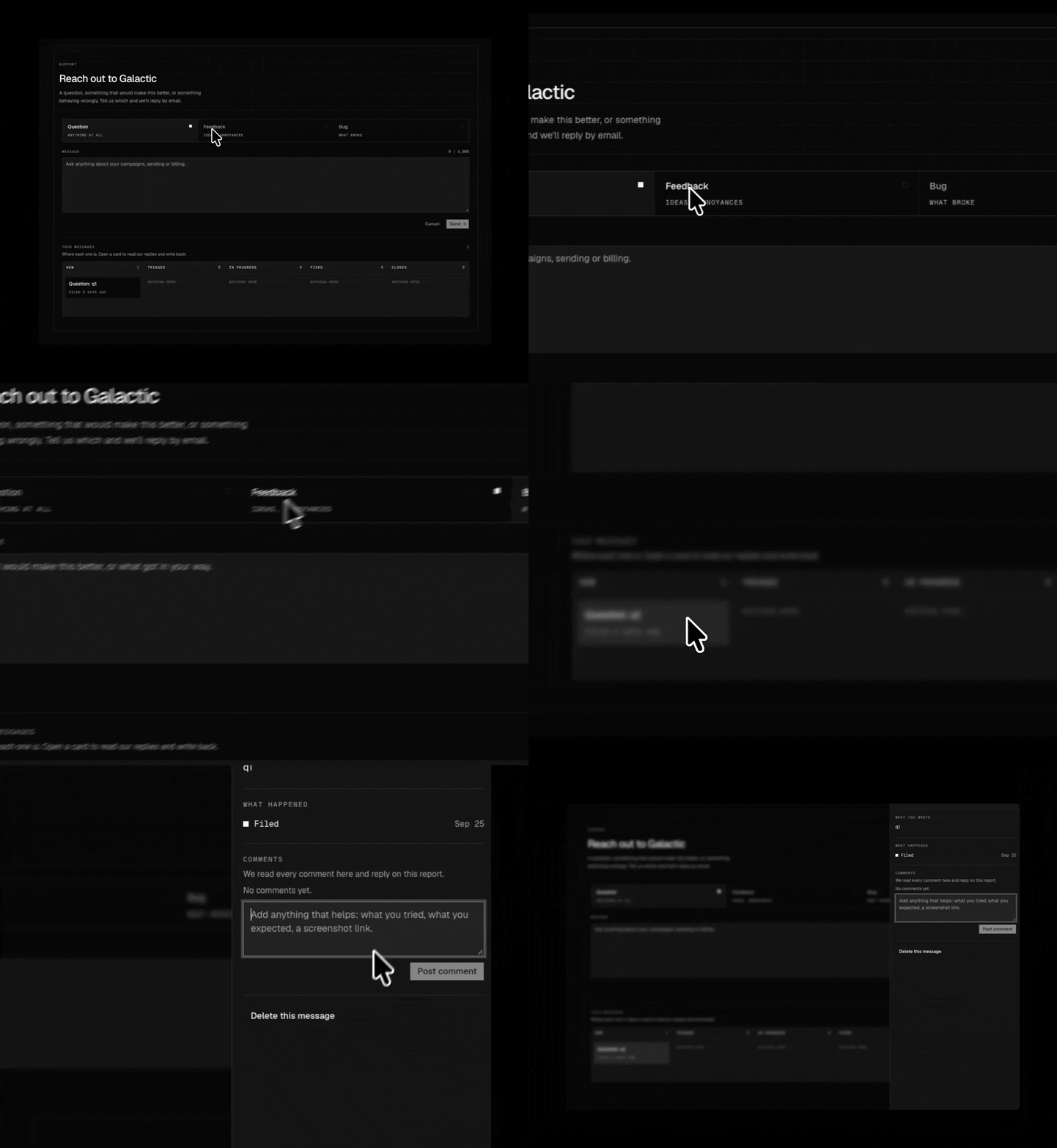
NewReach out from the dashboard with a question, a piece of feedback or a bug report: one message box, and your messages listed underneath.
NewFollow a message after you send it: each one opens to show what you wrote and a dated trail of what has happened to it since.
New
ImprovedEach key shows when it was last used, and revoking one in Settings cuts it off on its next request. A campaign can hold up to 10 keys.
NewEmails sent draws those two rates as a block graph against the line, so you can watch them before anything is held.
NewCountry rules in the docs: the rule applied to every city Galactic can search, and the law behind each.
ImprovedThe Safety checks guide lists all 29 checks and which of them block a send.
FixedA page that does not exist now says so, instead of sending you to the sign-in screen.
Operators get a Bug reports board: every campaign's reports across five stages, with drag-and-drop triage, priorities and internal notes.
NewTwo charts over the board: where the queue is piled up, and how many reports arrive each day.
ImprovedSupport is now a single screen for reaching out, rather than a list of questions answered better by the pages themselves.